
Your athlete
Upcoming schedule and photos
Where a coach can come watch, and the two images that print on the sheet.
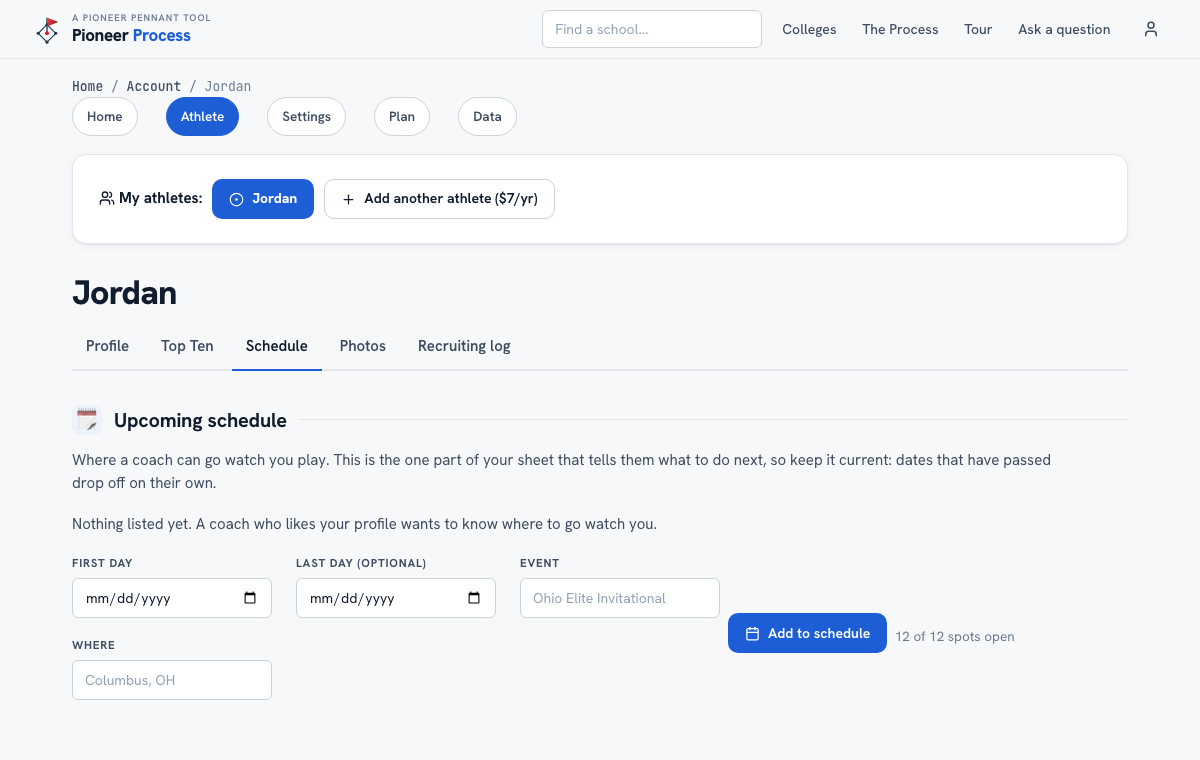
Steps
- Open Account, then Athlete, then the Schedule tab. Add each event with its first day, last day if it runs more than one, the event name, and where. Up to twelve stored, the next eight print.
- Dates that have passed drop off the printed sheet on their own but stay in your list, marked as past.
- On the Photos tab upload a headshot and a team logo (JPG, PNG, or WebP up to 8 MB). Location data is stripped from phone photos automatically, and photos are never public.
What good looks like
A coach who likes the profile can see three dates and places in the next two months without asking, and the printed sheet has a face and a team on it.
Mistakes we see
- Leaving the schedule for the tournament that already happened. It is a forward-looking column.
- A headshot in a batting helmet from forty feet. A clear face, close up, plain background.
Related
The profile sheet Your athlete's profile
Still stuck? Support reaches a person, and every guide lives at Help.