
Reaching coaches
Draft a social post
Recap a tournament, camp, visit, or milestone while it is fresh, in her voice, tagged the way coaches actually see it.
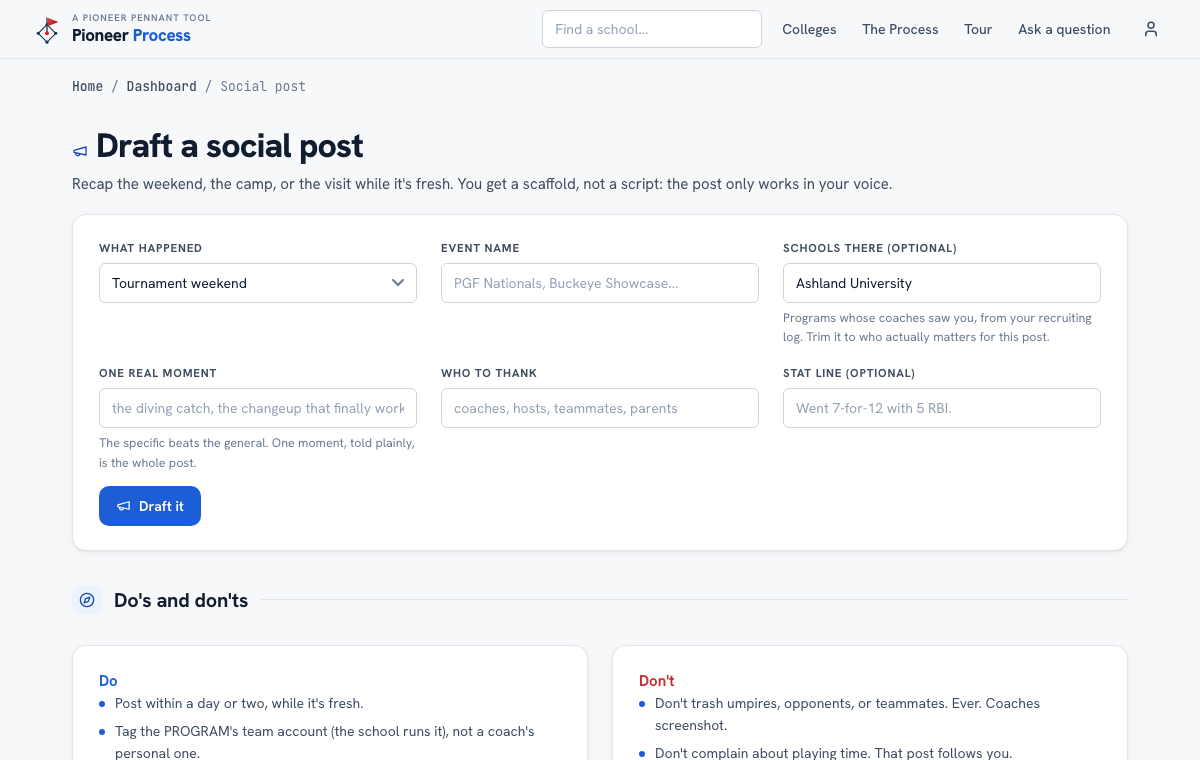
Steps
- Open Account, then Draft a social post. Pick what happened: tournament weekend, camp, campus visit, milestone, or offseason work.
- Name the event, pick the schools whose coaches were there from the recruiting log, and write one real moment. The specific beats the general.
- Add who to thank and, if it helps, a stat line. Draft it.
- Read the Do's and don'ts under the draft before posting: post within a day or two, tag the program's team account (not a coach's personal one), include video.
What good looks like
A post a coach can watch in fifteen seconds: one clip, one moment told plainly, the right program tagged, no hype.
Mistakes we see
- Tagging a coach's personal account. Tag the program; the school runs it.
- Posting a caption with no video. Coaches watch film before they read.
- Airing frustration with a teammate, an umpire, or a coach. Coaches read feeds like recruiters.
Related
The recruiting log Your athlete's profile
Still stuck? Support reaches a person, and every guide lives at Help.