
Account and money
More than one athlete
Sisters, or a whole travel-ball carpool, on one family account.
Steps
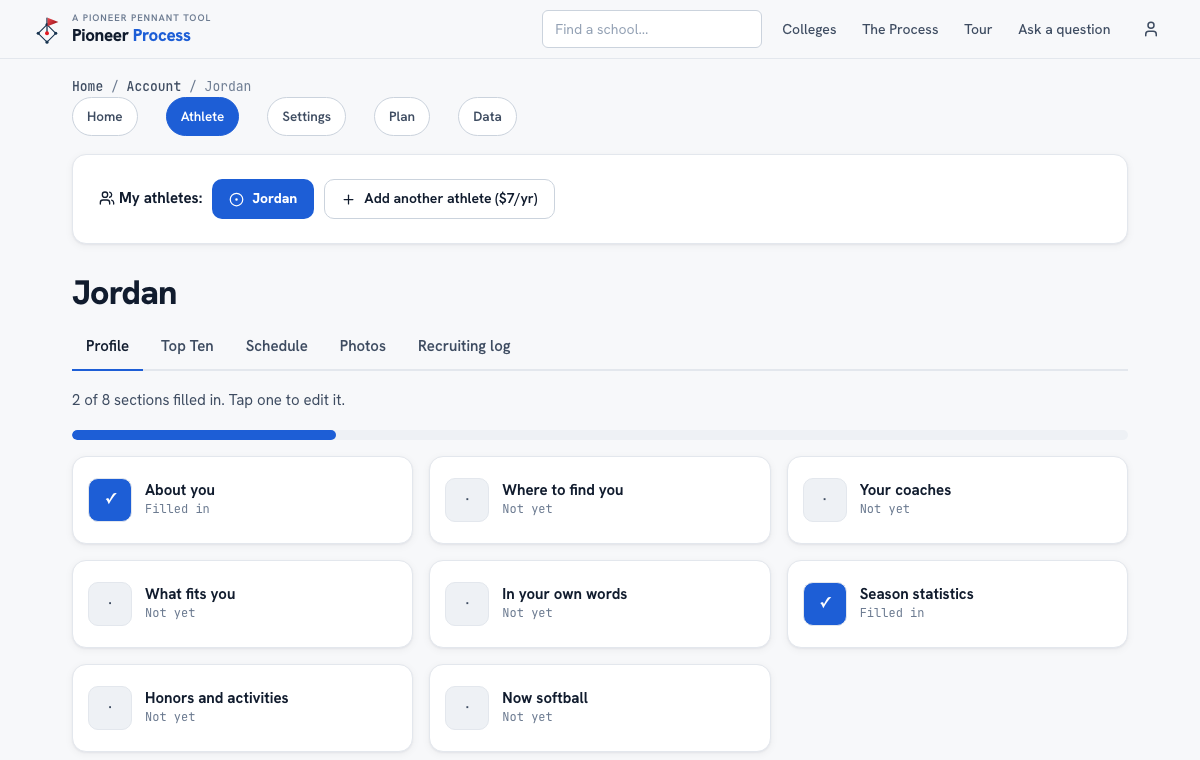
- On Account Home, press Add another athlete and give the first name. Up to three on one account.
- Each athlete has her own profile, Top Ten, schedule, photos, log, fit report, sheet, and drafts. Switch with the chips at the top of the account pages.
- Import from this browser lands on the athlete whose name matches the browser profile, or the one currently selected.
- Remove this athlete deletes that athlete's profile, log, and photos and asks first. The last athlete on an account leaves only through Delete account.
What good looks like
Two sisters, two fit reports, one login, and no mixing of logs.
Mistakes we see
- Building both girls in one profile. The report cannot score two players at once.
- Assuming the add-on is charged today. It is included for now; the Plan page will say so before that changes.
Related
Getting started Your plan, the trial, and cancelling
Still stuck? Support reaches a person, and every guide lives at Help.