
Account and money
Password, login email, and devices
Forgot the password, change it, change the login email, choose what we may email you, and sign out everywhere.
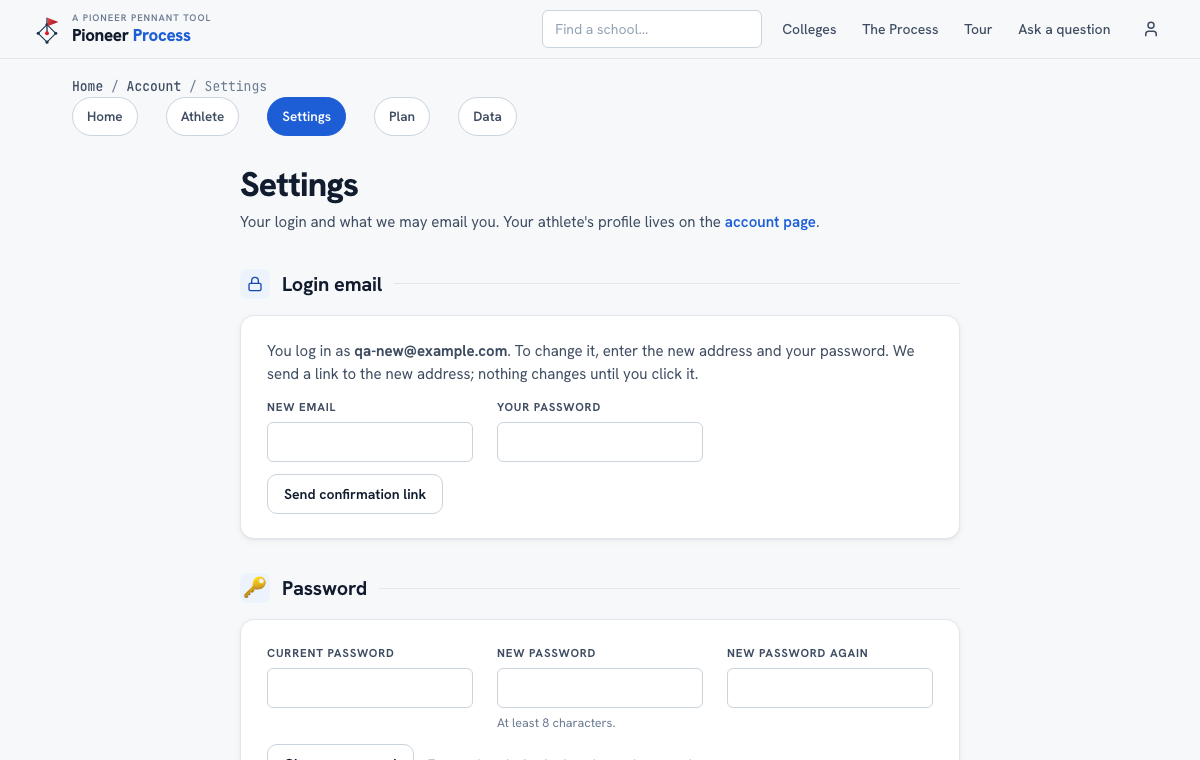
Steps
- Forgot the password: Forgot your password on the login page sends a link to the login email. It works once and expires in an hour; request another if it lapses.
- Change the password: Account, then Settings. Enter the current password and the new one twice. Every other device is signed out.
- Change the login email: enter the new address and the password. A confirmation link goes to the new address, and nothing changes until it is clicked; the old address is told afterwards.
- Email preferences: coach-change alerts and tips are off until you turn them on. Receipts, password and email confirmations, and a failed-payment notice always arrive.
- Devices: Sign out everywhere else ends every session but this one.
What good looks like
The family's own email as the login, alerts on for the schools she follows, and a teammate's borrowed phone signed out with one click.
Mistakes we see
- Waiting for a reset email at an address that is not the login. The link goes only to the address on the account.
- Confirming a new email from the old inbox. The link lands in the NEW one.
Related
Your data: export, import, delete Coaching changes
Still stuck? Support reaches a person, and every guide lives at Help.