
Account and money
Your data: export, import, delete
What is stored, how to take a copy, how to bring one in, and how to delete everything.
Steps
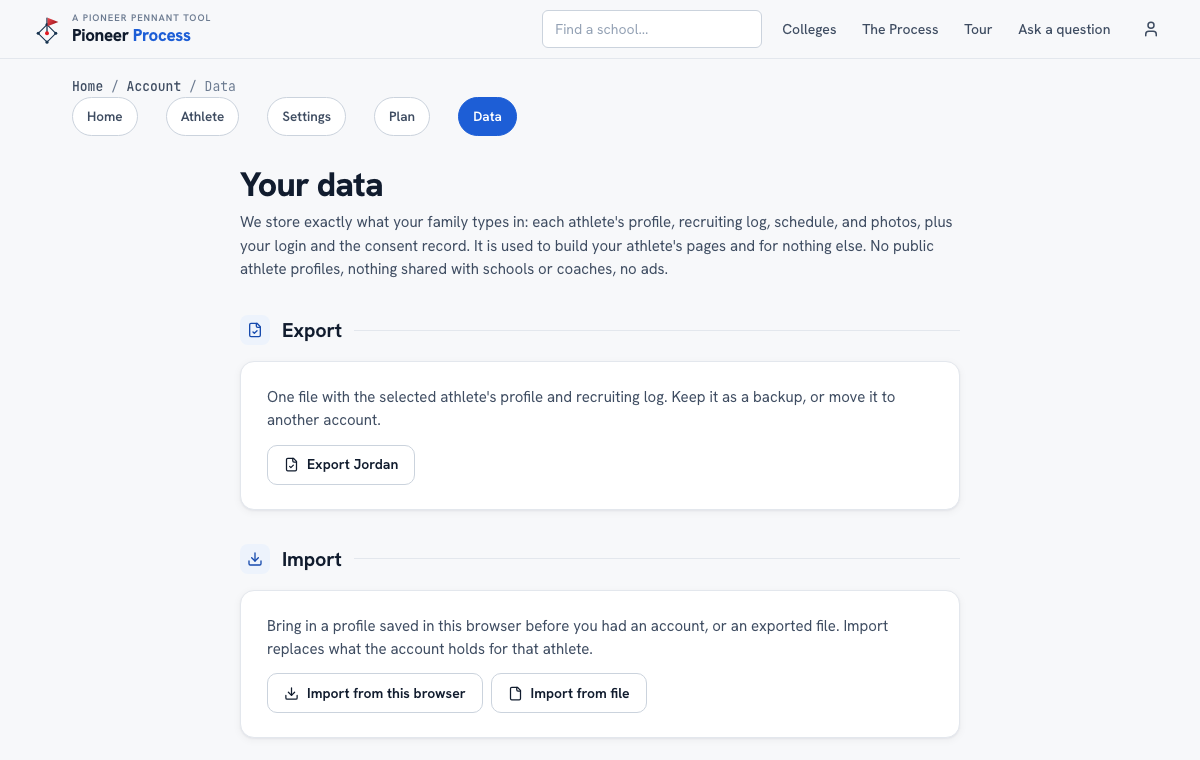
- Open Account, then Data. The page says plainly what is stored: what your family typed in, used only to build your athlete's pages.
- Export downloads one file with the selected athlete's profile and recruiting log. Keep it as a backup.
- Import brings in a profile saved in this browser before you had an account, or an exported file. It replaces what the account holds for that athlete.
- Delete account removes the login, every athlete's profile, log, and photos, permanently, and cancels any subscription at the same moment. Export first if you want a copy.
What good looks like
A family that moved from one phone's browser to an account without retyping anything, and knows the export is theirs.
Mistakes we see
- Importing over a fuller account profile. Import replaces; export the account first.
- Deleting to cancel a subscription. Cancel on the Plan page instead; the profile survives.
Related
Your plan, the trial, and cancelling Password, login email, and devices
Still stuck? Support reaches a person, and every guide lives at Help.