
Account and money
Use Process with Claude, ChatGPT, or Gemini
Ask Claude, ChatGPT, or Gemini about your athlete's fit report, Top Ten, recruiting log, and coach emails, straight from your own account.
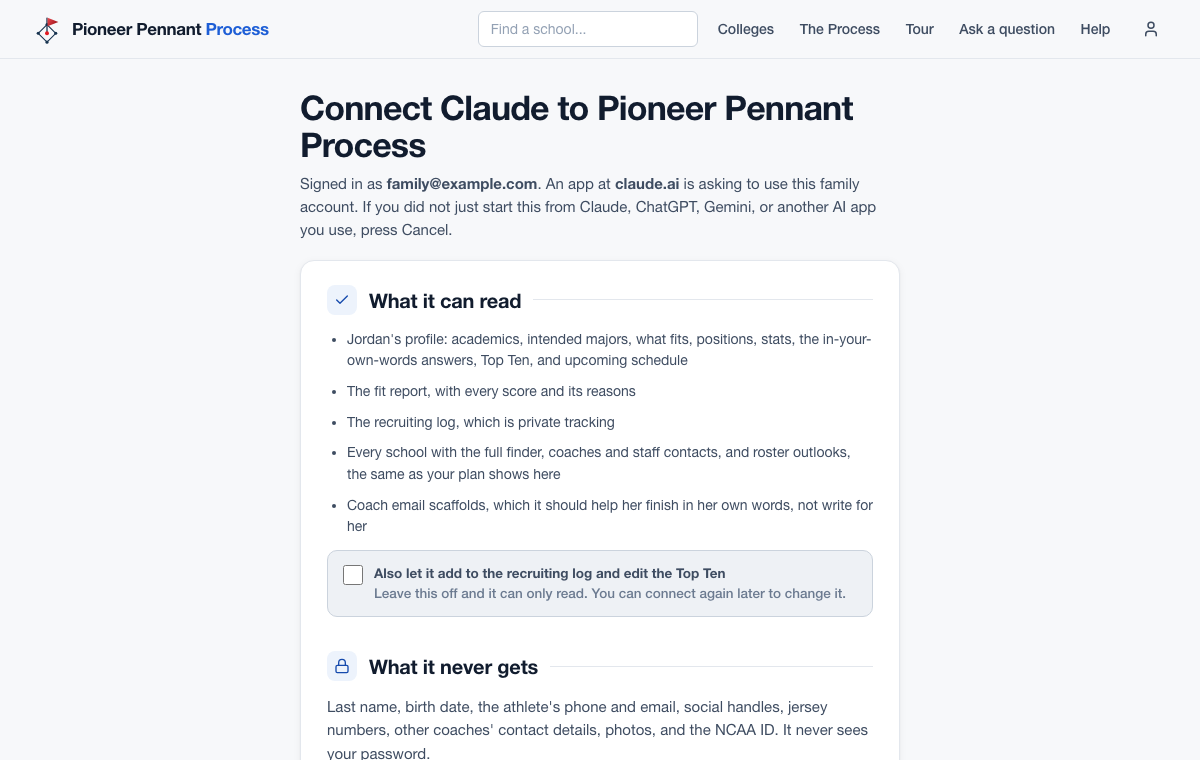
Steps
- Claude, on any plan (the free plan allows one custom connector, which is all this needs): Settings, then Connectors, then Add custom connector.
- ChatGPT, on the web (this works on Plus): go to chatgpt.com/plugins, press Add, then Add custom MCP server. Name it, paste the address below as the Server URL, leave Authentication on OAuth, check I understand and want to continue, then press Create as a plugin and Continue to Pioneer Pennant Process.
- Gemini (a personal Google account, 18 or older, in the US, with Keep Activity on): at gemini.google.com, Settings, then Connected Apps, then Add a custom app.
- Paste this address: https://pioneerpennant.com/process/mcp/family
- A Pioneer Pennant page opens. Log in with your Process email and password, read what the app can and cannot see, and press Allow. Check the recruiting-log box only if you want it to log events and edit the Top Ten; most apps also ask you before they change anything.
- Ask in plain English: which fits are within five hours and under $25,000, how the Top Ten really ranks, who has not written back, help planning an email to a coach, or which recruiting questionnaires in a state she has not filled out yet. She fills each questionnaire in herself on the school's form, since Process never shares her last name, birth date, or contact details; the app gives her the links and can help with the rest from her profile.
- To stop, open Settings here and press Disconnect next to the app. Changing your password disconnects every app.
What good looks like
A parent asks Claude which of her top 25 have room in the outfield for her class, gets each answer with the school's page linked, and she writes her own coach email with the scaffold beside her.
Mistakes we see
- Letting the AI write the coach email. The scaffold marks what has to be hers; coaches can tell a template, and an AI, a mile away.
- Connecting from the athlete's own login. Only an adult's login can connect an AI app.
- Trying it on a plan that cannot add connections: a ChatGPT plan whose Plugins page has no Add custom MCP server, or a work or school Google account in Gemini. Claude's free plan can, so start there.
- Expecting it to know her phone, email, or NCAA ID. Those never leave Process, so add them yourself when you send.
Related
The fit report Draft an email to a coach Password, login email, and devices
Connected? The AI guide shows what each tool does, with prompts to copy, fill-in templates, and ways to pair Process with your other plugins.
Open the AI guideStill stuck? Support reaches a person, and every guide lives at Help.